Best Laptops for Students in 2025: Top Picks for Every Budget
Choosing the right laptop for school or college can make or break your academic experience. Whether you’re writing papers late at night, attending virtual lectures, or editing a video project, your laptop needs to keep up — without draining your wallet. We’ve rounded up the best laptops for students in 2025, covering every budget and use case.

What to Look for in a Student Laptop
Before diving into our picks, here’s a quick breakdown of the key specs that matter most for students:
- Battery Life: Look for at least 8–10 hours of real-world battery. You don’t want to hunt for an outlet between classes.
- Weight: A laptop you’ll carry in a backpack every day should weigh under 4 lbs.
- RAM: 8GB is the bare minimum; 16GB gives you much more breathing room for multitasking.
- Storage: 256GB SSD is acceptable, but 512GB is more comfortable for storing files, software, and media.
- Display: A 1080p (Full HD) screen is the minimum standard you should accept in 2025.
- Performance: The processor determines how smoothly your apps run. Apple Silicon (M-series) and Intel Core Ultra chips are the current leaders.
Best Laptops for Students in 2025 — Our Top Picks
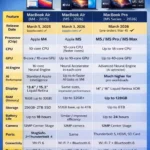
1. Apple MacBook Air 13-inch (M4) — Best Overall Student Laptop
The MacBook Air with Apple’s M4 chip is arguably the best all-around student laptop you can buy right now. It’s light, fast, and incredibly power-efficient — delivering outstanding battery life that can easily last a full school day and beyond.

The 13.6-inch Liquid Retina display is sharp and vivid, making it great for everything from reading lecture notes to watching videos. What makes the M4 model particularly attractive is that Apple now includes 16GB of unified memory as standard — a significant upgrade over previous base configurations.
At under $1,100, it’s not the cheapest laptop on this list, but the performance, build quality, and longevity you get make it exceptional value. It handles everyday student tasks — word processing, web browsing, video calls, spreadsheets, and light photo/video editing — without breaking a sweat.
Key Specs:
- CPU: Apple M4 (10-core)
- RAM: 16GB unified memory
- Storage: 256GB SSD (upgradeable)
- Display: 13.6-inch Liquid Retina (2560 x 1664)
- Weight: 2.73 lbs
- Battery: Up to 18 hours
Best for: Students who want a premium, long-lasting machine that handles everything from essays to creative projects.

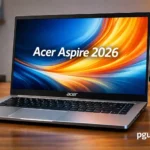
2. Acer Aspire 3 — Best Student Laptop Under $500
If budget is your top priority, the Acer Aspire 3 is hard to beat. Powered by an AMD Ryzen 5 processor with integrated Radeon graphics, it handles all the basics without any drama — note-taking, web browsing, streaming videos, and email all work just fine.
The 15.6-inch Full HD display gives you a decent amount of screen real estate, which is handy for working with side-by-side windows. The keyboard is comfortable to type on for long sessions, and the build feels sturdier than you’d expect for the price.
It’s not a powerhouse — don’t expect to edit 4K video or run heavy software smoothly — but for students who just need a reliable daily driver for classwork, it delivers solid value.
Key Specs:
- CPU: AMD Ryzen 5 7520U
- RAM: 8GB
- Storage: 256GB SSD
- Display: 15.6-inch FHD (1920 x 1080)
- Weight: 3.92 lbs
- Battery: Up to 8 hours
Best for: Students on a tight budget who need a dependable machine for everyday academic tasks.
3. Microsoft Surface Laptop 7th Edition (15-inch) — Best Windows Laptop for Students
Microsoft has hit its stride with the Surface Laptop 7th Edition. It runs on a Qualcomm Snapdragon X Elite processor — an ARM-based chip that rivals Apple Silicon in efficiency — delivering impressive performance alongside great battery endurance.
The 15-inch PixelSense display is bright, accurate, and a pleasure to work on. The keyboard is among the best you’ll find on any Windows laptop, and the overall build feels premium and polished. It’s slim, light for its size, and runs cool thanks to its efficient chip architecture.
If you’re committed to the Windows ecosystem and want something that rivals the MacBook Air in quality, this is your answer.
Key Specs:
- CPU: Qualcomm Snapdragon X Elite
- RAM: 16GB or 32GB LPDDR5x
- Storage: 512GB or 1TB SSD
- Display: 15-inch PixelSense (2496 x 1664)
- Weight: 3.67 lbs
- Battery: Up to 22 hours (claimed)
Best for: Windows-loyal students who want a premium, portable laptop with outstanding performance.
4. Apple MacBook Air 13-inch (M2) — Best Budget MacBook for Students
Don’t want to spend full price on the latest MacBook? The M2 version of the MacBook Air remains one of the best student laptops available, now at a significantly reduced price. Despite being a couple of generations old, the M2 chip still outpaces many newer Windows machines in everyday tasks.
The same gorgeous design — complete with MagSafe charging, a notch, and a Liquid Retina display — is still very much relevant today. You get a fanless design that runs silently, great battery life, and a compact, carry-anywhere form factor.
For students who want into the Apple ecosystem without paying full price, this is an excellent entry point.
Key Specs:
- CPU: Apple M2 (8-core)
- RAM: 8GB unified memory (upgradeable to 24GB)
- Storage: 256GB SSD (upgradeable)
- Display: 13.6-inch Liquid Retina (2560 x 1664)
- Weight: 2.73 lbs
- Battery: Up to 18 hours
Best for: Students who want a MacBook experience at a lower price point.
5. HP Chromebook Plus 15.6-inch — Best Chromebook for Students
Chromebooks often get dismissed as “limited,” but for students whose workflows revolve around Google Docs, Gmail, Google Meet, and web-based apps, a Chromebook covers everything at a fraction of the cost.
The HP Chromebook Plus 15.6-inch stands out thanks to its larger-than-average screen, Intel Core i3 processor, and surprisingly solid build. The 144Hz display is smoother than you’d typically find in this price range, making scrolling and navigation feel noticeably fluid.
It’s genuinely the best value laptop for students whose school or university runs on Google Workspace.
Key Specs:
- CPU: Intel Core i3-N305
- RAM: 8GB
- Storage: 128GB eMMC
- Display: 15.6-inch FHD 144Hz
- Weight: 3.81 lbs
- Battery: Up to 10 hours
Best for: Students heavily invested in Google’s ecosystem who want maximum value for money.
6. HP OmniBook Ultra Flip 14 — Best 2-in-1 Laptop for Students
For students who want the flexibility to switch between laptop and tablet mode — sketching diagrams, annotating PDFs, or presenting in tent mode — the HP OmniBook Ultra Flip 14 is a standout choice.
It features an Intel Core Ultra 7 processor and, most impressively, a breathtaking 14-inch OLED HDR display. The colors are rich, the blacks are deep, and the 120Hz refresh rate makes everything look smooth and vivid. The build quality is premium, and it weighs under 3 lbs — impressive for a 2-in-1.
The only caveat is limited ports — just three USB-C — so you may need a hub. But the overall package is genuinely impressive.
Key Specs:
- CPU: Intel Core Ultra 7 256V
- RAM: 16GB (up to 32GB)
- Storage: 512GB SSD (up to 2TB)
- Display: 14-inch OLED HDR (2880 x 1800)
- Weight: 2.95 lbs
- Battery: Up to 14 hours
Best for: Students who want the flexibility of a tablet with the productivity of a full laptop, plus a gorgeous OLED display.
7. MacBook Pro 16-inch (M4 Pro) — Best Laptop for Creative Students
Architecture, film, graphic design, music production — some degrees demand serious computing power. If you’re in a creative field, the MacBook Pro 16-inch with the M4 Pro chip is the professional tool of choice.
The 16.2-inch Liquid Retina XDR display is stunning — high resolution, wide color gamut, and ProMotion adaptive refresh rate make it exceptional for visual work. The M4 Pro chip handles demanding apps like Final Cut Pro, DaVinci Resolve, Logic Pro, and Adobe Creative Cloud with ease.
It’s expensive, but if your degree requires this level of performance, it’s a worthwhile investment that will serve you for years.
Key Specs:
- CPU: Apple M4 Pro (14-core)
- GPU: Apple M4 Pro (20-core)
- RAM: 24GB unified memory
- Storage: 512GB SSD
- Display: 16.2-inch Liquid Retina XDR (3456 x 2234)
- Weight: 4.73 lbs
- Battery: Up to 24 hours
Best for: Creative students in design, film, music, or architecture who need professional-grade performance.
Comparison Table: Best Laptops for Students 2025
| Laptop | Best For | Price Range | Battery | Weight |
|---|---|---|---|---|
| MacBook Air 13 (M4) | Best Overall | ~$1,099 | Up to 18 hrs | 2.73 lbs |
| Acer Aspire 3 | Best Under $500 | ~$350–$450 | Up to 8 hrs | 3.92 lbs |
| Surface Laptop 7 (15″) | Best Windows | ~$1,099 | Up to 22 hrs | 3.67 lbs |
| MacBook Air 13 (M2) | Budget MacBook | ~$799–$899 | Up to 18 hrs | 2.73 lbs |
| HP Chromebook Plus 15.6″ | Best Chromebook | ~$250–$300 | Up to 10 hrs | 3.81 lbs |
| HP OmniBook Ultra Flip 14 | Best 2-in-1 | ~$1,000–$1,100 | Up to 14 hrs | 2.95 lbs |
| MacBook Pro 16 (M4 Pro) | Best for Creatives | ~$2,499+ | Up to 24 hrs | 4.73 lbs |
Frequently Asked Questions (FAQs)
What is the best laptop for college students in 2025?
The Apple MacBook Air 13-inch (M4) is our top pick overall, thanks to its excellent performance, portability, and all-day battery life. For Windows users, the Microsoft Surface Laptop 7th Edition is the best alternative.
How much RAM do I need in a student laptop?
8GB is the minimum for basic tasks, but 16GB is recommended if you plan to multitask, run multiple browser tabs, or use any creative software.
Is a MacBook or Windows laptop better for college?
It depends on your major and budget. MacBooks are generally better for creative subjects and offer superior battery life. Windows laptops offer more variety, are often more affordable, and tend to be better for gaming and engineering software like AutoCAD or MATLAB.
Are Chromebooks good for students?
Yes — if your coursework relies on web-based tools and Google Workspace, a Chromebook is a cost-effective and practical choice. They’re not ideal for students who need specialized desktop software.
What screen size is best for a student laptop?
13 to 14 inches is the sweet spot for portability and usability. If you prefer more screen space and don’t mind a heavier bag, a 15–16 inch model works well for dorm or desk use.
How long should a student laptop last?
A good student laptop should last 4–5 years with proper care. MacBooks in particular tend to hold up well over time thanks to Apple’s long software support cycle.
Final Thoughts
There’s no single perfect laptop for every student — the right pick depends on your budget, your subject, and how you like to work. That said, you genuinely can’t go wrong with the MacBook Air 13-inch (M4) if your budget allows. For Windows users, the Microsoft Surface Laptop 7 is an excellent alternative, while the Acer Aspire 3 remains the smart choice for students watching their spending closely.
Whatever you choose, prioritize battery life and portability above all else — because the best student laptop is the one you’ll actually want to carry to class every day.