Are you tired of getting your accounts flagged, restricted, or banned just for managing multiple profiles online? Whether you’re a digital marketer, e-commerce seller, affiliate marketer, or social media manager, you need a powerful antidetect browser in 2026 to keep your operations safe and your accounts undetected.
In 2026, online platforms like Facebook, Amazon, eBay, and Google have deployed some of the most advanced fingerprinting systems ever built. Standard VPNs and proxies just don’t cut it anymore. That’s where antidetect browsers come in — specialized tools that create completely isolated browser environments, each with a unique digital identity.

This complete guide covers the best antidetect browsers for Windows in 2026, reviewing their features, pricing, pros, cons, and which use case they’re best suited for.
[toc]

🔍 What Is an Antidetect Browser?
An antidetect browser is a specialized web browser built on top of popular engines like Chromium or Firefox. Instead of showing websites your real browser fingerprint — a unique combination of your screen resolution, fonts, canvas data, WebGL parameters, timezone, installed plugins, and dozens of other signals — an antidetect browser replaces all of that with a completely fake, realistic-looking fingerprint.
Each browser profile operates in total isolation, with its own:

- 🔒 Unique browser fingerprint (Canvas, WebGL, Audio, Fonts)
- 🌐 Separate cookies, cache, and local storage
- 📡 Individual proxy/IP address assignment
- 🖥️ Custom user-agent, OS, and hardware parameters
- 📍 Independent timezone and geolocation settings
The result? Every profile looks like a completely different real person using a different device, from a different location.
🚀 Who Needs an Antidetect Browser in 2026?
- Social Media Managers — Run multiple Facebook, TikTok, and Instagram accounts from one Windows PC
- E-commerce Sellers — Manage multiple Amazon, eBay, and Etsy seller accounts without risking bans
- Affiliate Marketers — Launch multiple ad campaigns without cross-contamination
- Web Scrapers & Researchers — Automate data collection without getting blocked
- Crypto & Airdrop Farmers — Run multiple Web3 wallets and airdrop accounts safely
- Privacy-Conscious Users — Protect your digital identity from tracking scripts
✅ Top 6 Best Antidetect Browsers for Windows in 2026
1. 🥇 GoLogin — Best All-Around Choice for Windows Users
Best for: Multi-account management, beginners, teams, and budget-conscious users

GoLogin has rapidly risen to the top of the antidetect browser market in 2026. Built on its own custom Orbita browser (a fork of Chromium), GoLogin delivers a powerful combination of realistic fingerprinting, cross-platform stability, and an intuitive interface that even non-technical users can master quickly.
Key Features:
- ✔️ Orbita Browser — custom Chromium fork with enhanced fingerprint controls
- ✔️ Deep fingerprint customization: Canvas, WebGL, Audio, Fonts, Timezone
- ✔️ Built-in free proxies for free and paid users
- ✔️ Team collaboration with profile sharing and cloud sync
- ✔️ Android app + Web version for remote access
- ✔️ Selenium, Puppeteer & API automation support
- ✔️ Available on Windows, macOS, Linux, and Android
Pricing:
- 🆓 Free Plan: 3 profiles forever (excellent for testing)
- 💰 100 Profiles: $49/month
- 💰 300 Profiles: $99/month
- 💰 1,000 Profiles: $199/month
⚡ PG Update Verdict: GoLogin is the best overall antidetect browser for Windows in 2026. It offers unmatched value at its price point — solid fingerprint quality, team features, and a generous free plan make it the #1 recommendation for most users.
2. 🥈 Multilogin — Best for High-Stakes Enterprise Use
Best for: Enterprise teams, high-budget marketers, and users who need the absolute best fingerprint quality
Multilogin is the premium, veteran option in the antidetect browser market. It offers the most sophisticated fingerprint spoofing available in 2026, including full Canvas and WebGL spoofing. It’s available in both Chromium-based (Mimic) and Firefox-based (Stealthfox) versions — a unique advantage.

Key Features:
- ✔️ Chromium (Mimic) AND Firefox (Stealthfox) browser engines
- ✔️ Full Canvas, WebGL, and Audio fingerprint spoofing
- ✔️ AES-encrypted cloud storage — even team members can’t see sensitive data
- ✔️ Residential IPs in 150+ countries with HTTP and SOCKS5 support
- ✔️ Selenium, Puppeteer, and CDP automation support
- ✔️ Profile auto-configuration mode
- ✔️ Compatible with Windows and macOS (including M1/M2)
Pricing:
- 🆓 Free Plan: 3 profiles
- 💰 100 Profiles: $99/month
- 💰 300 Profiles: $199/month
- 💰 1,000 Profiles: $399/month
⚡ PG Update Verdict: Multilogin is the industry gold standard for fingerprint quality. It’s expensive, but for high-stakes campaigns where getting detected would cost thousands, the investment is absolutely worth it.
3. 🥉 AdsPower — Best for Social Media & E-commerce Automation
Best for: Social media managers, dropshippers, e-commerce sellers, and teams needing no-code automation
AdsPower has carved out a strong niche in 2026 as the go-to antidetect browser for social media and e-commerce professionals. Its standout feature is a powerful built-in RPA (Robotic Process Automation) system that lets you automate repetitive tasks without writing a single line of code.

Key Features:
- ✔️ No-code RPA automation for repetitive account tasks
- ✔️ Strong Facebook, TikTok, and Amazon account management
- ✔️ Synchronizer tool — mirror actions across multiple profiles at once
- ✔️ Team collaboration with role-based access control
- ✔️ Supports Selenium and Puppeteer automation
- ✔️ Windows and macOS compatible
- ✔️ Built-in proxy management with all proxy types supported
Pricing:
- 🆓 Free Plan: 2 profiles (limited)
- 💰 Base Plan: $5.4/month (10 profiles)
- 💰 Pro Plan: $30/month (100 profiles)
- 💰 Custom Enterprise plans available
⚡ PG Update Verdict: AdsPower is incredibly affordable and its no-code automation sets it apart from the competition. If you run social media campaigns or manage multiple storefronts, AdsPower gives you excellent power at a low price.
4. Kameleo — Best for Unlimited Local Profiles
Best for: Users who need unlimited profile capacity and mobile anti-fingerprinting
Kameleo is a unique antidetect browser that supports not just Chrome and Firefox profiles, but also mobile fingerprinting for Safari and other mobile browsers. In 2026, as platforms increasingly detect desktop-emulated mobile agents, Kameleo’s genuine mobile fingerprint support gives it a critical edge.
Key Features:
- ✔️ Unlimited local browser profiles on all paid plans
- ✔️ Supports Chrome, Firefox, Edge, and mobile browsers (Safari/Android)
- ✔️ Mobile app for real Android device fingerprinting
- ✔️ Canvas, WebGL, Audio, and Font fingerprint spoofing
- ✔️ Supports HTTP, SOCKS4, SOCKS5, and SSH proxy protocols
- ✔️ REST API for browser automation
- ✔️ Windows, macOS, and Linux compatible
Pricing:
- 💰 Basic: €59/month
- 💰 Advanced: €89/month (adds mobile fingerprinting)
- 💰 Automation: €199/month (adds full API access)
⚡ PG Update Verdict: Kameleo’s unlimited profile capacity and genuine mobile fingerprinting support make it the best option for users who need to scale massively without paying per-profile fees.
5. Dolphin Anty — Best Free Budget Option
Best for: Beginners, small teams, and users who want to try antidetect browsing without heavy investment
Dolphin Anty has quickly built a loyal following as one of the most user-friendly and affordable antidetect browsers available in 2026. Its clean interface and solid fingerprint management make it an excellent starting point for beginners.
Key Features:
- ✔️ Clean, modern UI — perfect for beginners
- ✔️ Supports Chrome-based fingerprinting
- ✔️ Team collaboration and profile sharing
- ✔️ Tag and folder organization for profiles
- ✔️ Selenium automation support
- ✔️ Available on Windows and macOS
Pricing:
- 🆓 Free Plan: 10 profiles forever
- 💰 Team Plan: $89/month (100 profiles)
- 💰 Enterprise: $300/month (300 profiles)
⚡ PG Update Verdict: Dolphin Anty’s free plan with 10 profiles is the most generous on the market. If you’re just getting started with antidetect browsing or working on a tight budget, this is where you should start.
6. Octo Browser — Best for Advanced Teams & Bulk Operations
Best for: Advanced users, marketing agencies, and teams running bulk account operations
Octo Browser is a serious, professional-grade antidetect browser designed for teams managing large-scale account operations. Its bulk profile creation tools, template system, and API support make it a powerhouse for sophisticated workflows in 2026.
Key Features:
- ✔️ Bulk profile creation and mass proxy import
- ✔️ Template-based fingerprint presets for quick setup
- ✔️ Full API with Puppeteer, Selenium, and CDP support
- ✔️ Tag and status navigation for profile organization
- ✔️ Available on Windows, macOS, and Linux
- ✔️ Team collaboration with role management
Pricing:
- 💰 Starter: €10/month (3 profiles)
- 💰 Base: €29/month (10 profiles)
- 💰 Team: €79/month (50 profiles)
- 💰 Advanced: €169/month (200 profiles)
- 💰 Business: €329/month (1,200 profiles)
- 🎁 Use code OCTOBEST for 30% off as a new user!
⚡ PG Update Verdict: Octo Browser is the top pick for agencies running bulk operations. No free plan, but its template and bulk tools are unrivalled for teams managing hundreds of profiles daily.
📊 Quick Comparison Table: Best Antidetect Browsers for Windows 2026
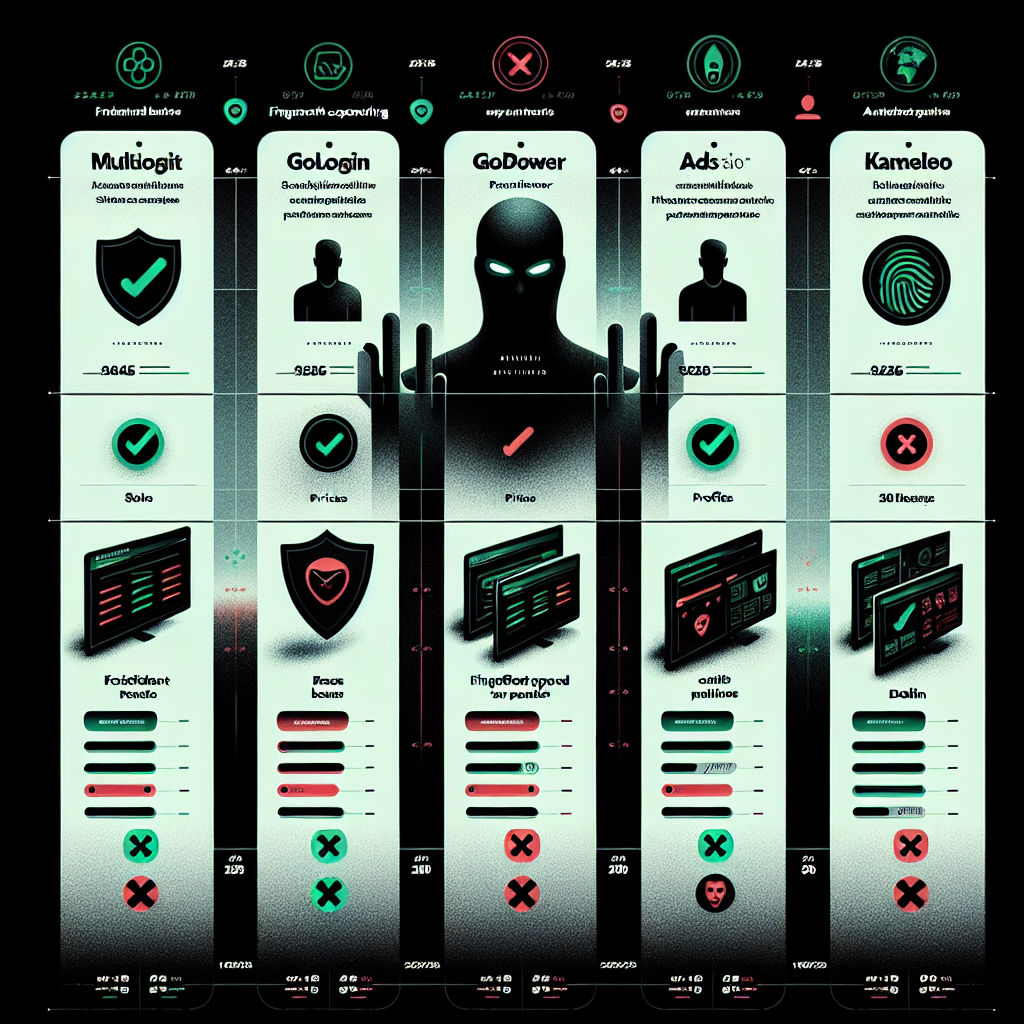
| Browser | Free Plan | Starting Price | Best For | Windows Support |
|---|---|---|---|---|
| GoLogin | ✅ 3 profiles | $49/month | All-around use | ✅ Yes |
| Multilogin | ✅ 3 profiles | $99/month | Enterprise, high stakes | ✅ Yes |
| AdsPower | ✅ 2 profiles | $5.4/month | Social media & e-commerce | ✅ Yes |
| Kameleo | ❌ No | €59/month | Unlimited profiles | ✅ Yes |
| Dolphin Anty | ✅ 10 profiles | $89/month | Beginners & small teams | ✅ Yes |
| Octo Browser | ❌ No | €10/month | Bulk operations & agencies | ✅ Yes |
🛡️ How to Choose the Right Antidetect Browser for Windows
Before you pick one, ask yourself these important questions:
1. How many profiles do I need?
If you’re starting out, a free plan (GoLogin or Dolphin Anty) will work. For scaling to hundreds of accounts, look at Kameleo (unlimited) or higher Multilogin/GoLogin tiers.
2. Do I need team collaboration?
All the browsers on this list support team features, but GoLogin, Multilogin, and AdsPower have the most polished collaboration tools.
3. Do I need automation?
For no-code automation, AdsPower is the clear winner. For developer-grade API and Selenium/Puppeteer support, GoLogin, Multilogin, and Octo Browser are your best bets.
4. What’s my budget?
AdsPower at $5.4/month and Dolphin Anty’s free 10-profile plan are the most accessible. Multilogin at $399/month for 1,000 profiles is the premium end.
5. Do I need mobile fingerprinting?
Only Kameleo offers genuine mobile browser fingerprinting for Safari and Android profiles — a critical feature for platforms that verify mobile usage.
⚠️ VPN vs Proxy vs Antidetect Browser — What’s the Difference?
Many users wonder if a VPN alone is enough. Here’s a quick breakdown:
- VPN: Hides your IP address but does NOT change your browser fingerprint. Facebook, Google, and Amazon can still identify and link your accounts via canvas fingerprinting, WebGL, and behavioral patterns.
- Proxy: Changes your IP address but leaves your browser fingerprint fully exposed. Using the same browser with multiple accounts on a proxy will still get you caught.
- Antidetect Browser: Changes BOTH your IP (via proxy integration) AND your entire browser fingerprint. Each profile is completely isolated and indistinguishable from a separate real user on a different device.
Bottom line: In 2026, an antidetect browser + a residential proxy is the gold standard for safe multi-account management. Neither a VPN nor a proxy alone is sufficient.
❓ Frequently Asked Questions – Antidetect Browsers for Windows 2026
Q: Are antidetect browsers legal?
A: Yes. Antidetect browsers are legal tools designed for privacy, digital marketing, and account management. They are used by thousands of legitimate businesses worldwide. However, using them to violate a platform’s Terms of Service (such as creating fake accounts to manipulate reviews) is a separate issue governed by those platforms’ rules.
Q: Can antidetect browsers be detected?
A: High-quality antidetect browsers like Multilogin and GoLogin generate fingerprints that pass modern detection tests. However, poor-quality antidetect browsers with inconsistent or randomized fingerprints can trigger suspicion. Always choose a reputable tool and test it with fingerprint checkers before deploying.
Q: Do I need a proxy with an antidetect browser?
A: Yes. A good antidetect browser changes your fingerprint, but you still need a proxy (ideally a residential proxy) to provide a unique IP address for each profile. All top antidetect browsers support built-in proxy configuration.
Q: Which antidetect browser is best for Facebook ads?
A: GoLogin and AdsPower are the most popular choices for Facebook Ads managers. AdsPower’s no-code automation is especially useful for managing multiple ad accounts efficiently.
Q: Is there a free antidetect browser for Windows?
A: Yes! Dolphin Anty offers 10 free profiles forever, and GoLogin offers 3 free profiles with no time limit. These are the best free options to start with in 2026.
Q: What’s the best antidetect browser for beginners?
A: GoLogin and Dolphin Anty are widely praised for their beginner-friendly interfaces. Both offer free plans and straightforward setup guides.
🏁 Conclusion: Best Antidetect Browser for Windows in 2026
Choosing the right antidetect browser can be the difference between running a smooth, scalable multi-account operation and losing weeks of work to account bans. Here’s the quick summary for 2026:
- 🥇 GoLogin — Best overall for Windows. Affordable, reliable, and beginner-friendly.
- 🥈 Multilogin — Best fingerprint quality for high-stakes enterprise use.
- 🥉 AdsPower — Best for social media marketing automation on a budget.
- 🔵 Kameleo — Best for unlimited profiles and mobile fingerprinting.
- 🟢 Dolphin Anty — Best free plan with 10 profiles for beginners.
- 🟠 Octo Browser — Best for agencies running bulk account operations.
No matter which tool you choose, always pair your antidetect browser with a high-quality residential proxy for the best results. Start with a free trial where available, test your fingerprints using tools like BrowserLeaks or CreepJS, and scale up as your needs grow.
Also check out these related guides on PG Update:
📖 How to Speed Up Windows 11 – 12 Proven Tips for 2026
📖 Windows 10 End of Support – What to Do Right Now
📖 GPUpdate Commands – Complete 2026 Guide
Did this guide help you choose the right antidetect browser? Drop a comment below and let us know which one you’re using — or ask us anything! 🚀
Last Updated: February 2026 | Author: PG Update Tech Team | Category: Windows Privacy & Tools | Read Time: ~9 minutes